

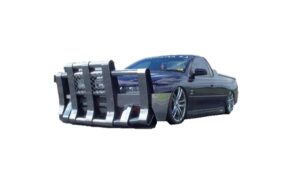
Bull Bars – Requirements for vehicle frontal protection systems fitted to light vehicles (Public)
Technical specification requirements for vehicle frontal protection systems fitted to light vehicles.

A better way to browse. Learn more.
A full-screen app on your home screen with push notifications, badges and more.
Technical specification requirements for vehicle frontal protection systems fitted to light vehicles.

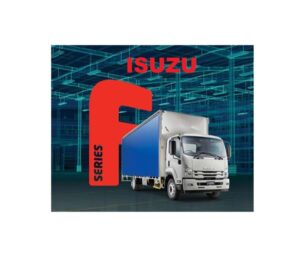
These trucks have been sold without towing braking equipment. MY22 FV and FTR models were affected.

The National Heavy Vehicle Regulator has revealed the staged implementation of upcoming J4 tipping code changes.


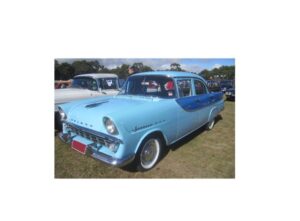
Planning to sell your vehicle with historic or classic registration?

What modifications need to be engineered to be legal when modifying your vehicle?
Find an accredited public weighbridge using the Australian Government National Measurement Institute listing.
Find a public weighbridgeCompare an original and proposed tyre size, view the live dimensional difference, and obtain the overall-diameter change in millimetres and percentage for compliance assessment.
Example:
Tyre 295/80R22.5 G358 152/148 L
| LI | kg | LI | kg | LI | kg | LI | kg | LI | kg | LI | kg |
|---|---|---|---|---|---|---|---|---|---|---|---|
| 80 | 450 | 100 | 800 | 120 | 1,400 | 140 | 2,500 | 160 | 4,500 | 180 | 8,000 |
| 81 | 462 | 101 | 825 | 121 | 1,450 | 141 | 2,575 | 161 | 4,625 | 181 | 8,250 |
| 82 | 475 | 102 | 850 | 122 | 1,500 | 142 | 2,650 | 162 | 4,750 | 182 | 8,500 |
| 83 | 487 | 103 | 875 | 123 | 1,550 | 143 | 2,725 | 163 | 4,875 | 183 | 8,750 |
| 84 | 500 | 104 | 900 | 124 | 1,600 | 144 | 2,800 | 164 | 5,000 | 184 | 9,000 |
| 85 | 515 | 105 | 925 | 125 | 1,650 | 145 | 2,900 | 165 | 5,150 | 185 | 9,250 |
| 86 | 530 | 106 | 950 | 126 | 1,700 | 146 | 3,000 | 166 | 5,300 | 186 | 9,500 |
| 87 | 545 | 107 | 975 | 127 | 1,750 | 147 | 3,075 | 167 | 5,450 | 187 | 9,750 |
| 88 | 560 | 108 | 1,000 | 128 | 1,800 | 148 | 3,150 | 168 | 5,600 | 188 | 10,000 |
| 89 | 580 | 109 | 1,030 | 129 | 1,850 | 149 | 3,250 | 169 | 5,800 | 189 | 10,300 |
| 90 | 600 | 110 | 1,060 | 130 | 1,900 | 150 | 3,350 | 170 | 6,000 | 190 | 10,600 |
| 91 | 615 | 111 | 1,090 | 131 | 1,950 | 151 | 3,450 | 171 | 6,150 | 191 | 10,900 |
| 92 | 630 | 112 | 1,120 | 132 | 2,000 | 152 | 3,550 | 172 | 6,300 | 192 | 11,200 |
| 93 | 650 | 113 | 1,150 | 133 | 2,060 | 153 | 3,650 | 173 | 6,500 | 193 | 11,500 |
| 94 | 670 | 114 | 1,180 | 134 | 2,120 | 154 | 3,750 | 174 | 6,700 | 194 | 11,800 |
| 95 | 690 | 115 | 1,215 | 135 | 2,180 | 155 | 3,875 | 175 | 6,900 | 195 | 12,150 |
| 96 | 710 | 116 | 1,250 | 136 | 2,240 | 156 | 4,000 | 176 | 7,100 | 196 | 12,500 |
| 97 | 730 | 117 | 1,285 | 137 | 2,300 | 157 | 4,125 | 177 | 7,300 | 197 | 12,850 |
| 98 | 750 | 118 | 1,320 | 138 | 2,360 | 158 | 4,250 | 178 | 7,500 | 198 | 13,200 |
| 99 | 775 | 119 | 1,360 | 139 | 2,430 | 159 | 4,375 | 179 | 7,750 | 199 | 13,600 |
Scroll horizontally to view the complete table on smaller screens.
To apply for an unregistered vehicle permit, take these documents to a service centre:
You can apply for an unregistered vehicle permit by email/post if you:
If you have not already handed in your number plates and the registration is cancelled, you still need to visit a service centre to do this.
Please allow up to 7 days to receive the Unregistered Vehicle Permit by post. If you require a permit within the next 7 days, visit your local Service NSW Service Centre.
Send the completed documents and payment details to:
Post: Service NSW, PO Box 21, Parkes, NSW, 2870
Email: Transactions.parkes@service.nsw.gov.au